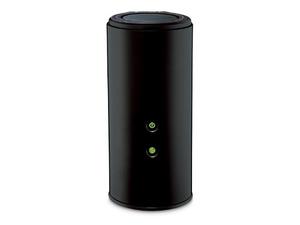
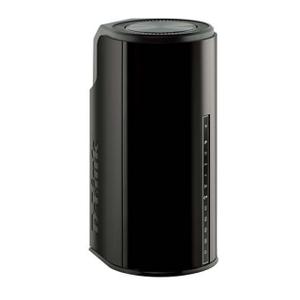
The D-Link DIR-860L rev B1 router has Gigabit WiFi, 4 N/A ETH-ports and 0 USB-ports.
It is also known as the D-Link Wireless AC1200 Dual-Band Gigabit Cloud Router. It also supports custom firmwares like: OpenWrt, LEDE Project
How to hard reset (factory reset) D-Link DIR-860L rev B1 :
You can hard reset your D-Link DIR-860L rev B1 with ways bellow
With the reset button
Locate the reset button on the back off the router
While the unit is powered on, press the reset button with a sharp object (e.g. paperclip)
Hold the button pressed for 10 seconds, then release.
The unit will reboot by itself and once the WLAN light stops blinking the factory reset is done.
You can now setup your router again through the user interface
D-Link DIR-860L rev B1 default Login & Password, factory settings :
Default Gateway IP: 192.168.0.1
D-Link login instructions
Default username: admin
D-Link router default password list
Default subnet mask: 255.255.255.0
Default DNS server: 192.168.0.1
D-Link DIR-860L rev B1 router specifications :
System specs
CPU: 880 MHz
RAM: 128 MiB
Flash: 16 MiB
Custom firmwares: OpenWrt, LEDE Project
Connectivity
WiFi: Gigabit (abgn+ac)
WiFi bands
2.4GHz & 5GHz
WiFi throughput: n/a
WAN
1 x N/A port
ETH
4 x N/A ports
USB-ports: 0
D-Link DIR-860L review (quick overview)
Here is the quick comparison of how the D-Link DIR-860L compares to
other routers on our site
Average
36/100
Editor
68/100
WiFi
20/100
Hardware
21/100
Current price
$64.98
For a full list of routers and how they compare to the DIR-860L rev B1, check the
Router Buying Guide which will help you buy the most
price-competitive router.
How to login to the D-Link DIR-860L rev B1 :
Make sure you are connected to the router’s network, either by Wi-Fi or ethernet cable.
Open your browser and visit
http://192.168.0.1
You should be prompted with a login dialogue.
Enter the username: admin
and if it requires a password, leave it empty or try with admin / password
You will now be logged in. If you haven’t yet changed the defaul password, we recommend that you change it first
thing you do after logging in.